Top picks — 2025 July
How is your summer season going, folks? Recently I have been busy at work, but as part of that, I made huge progress in learning Go. Writing Go code is a pure joy, and I really regret that I have never dedicated myself to it before. It seems to be a perfect weapon for a web developer. It is a great language for servers and microservices, but it is also incredible for a bunch of other lower-level applications. My progression in learning Go made my inner geek super happy. I also recently picked up tons of new records, and we had many great listening/dancing sessions with the rest of the family. Life feels good, folks ❣️
Classic end of the month post. Music recommendations and a bunch of really good resources from around the web, very subjectively chosen. No AI helped me to make this selection, no algorithm! Just sharing what I found to be good. Enjoy, pals, happy last day of July and incredible August!
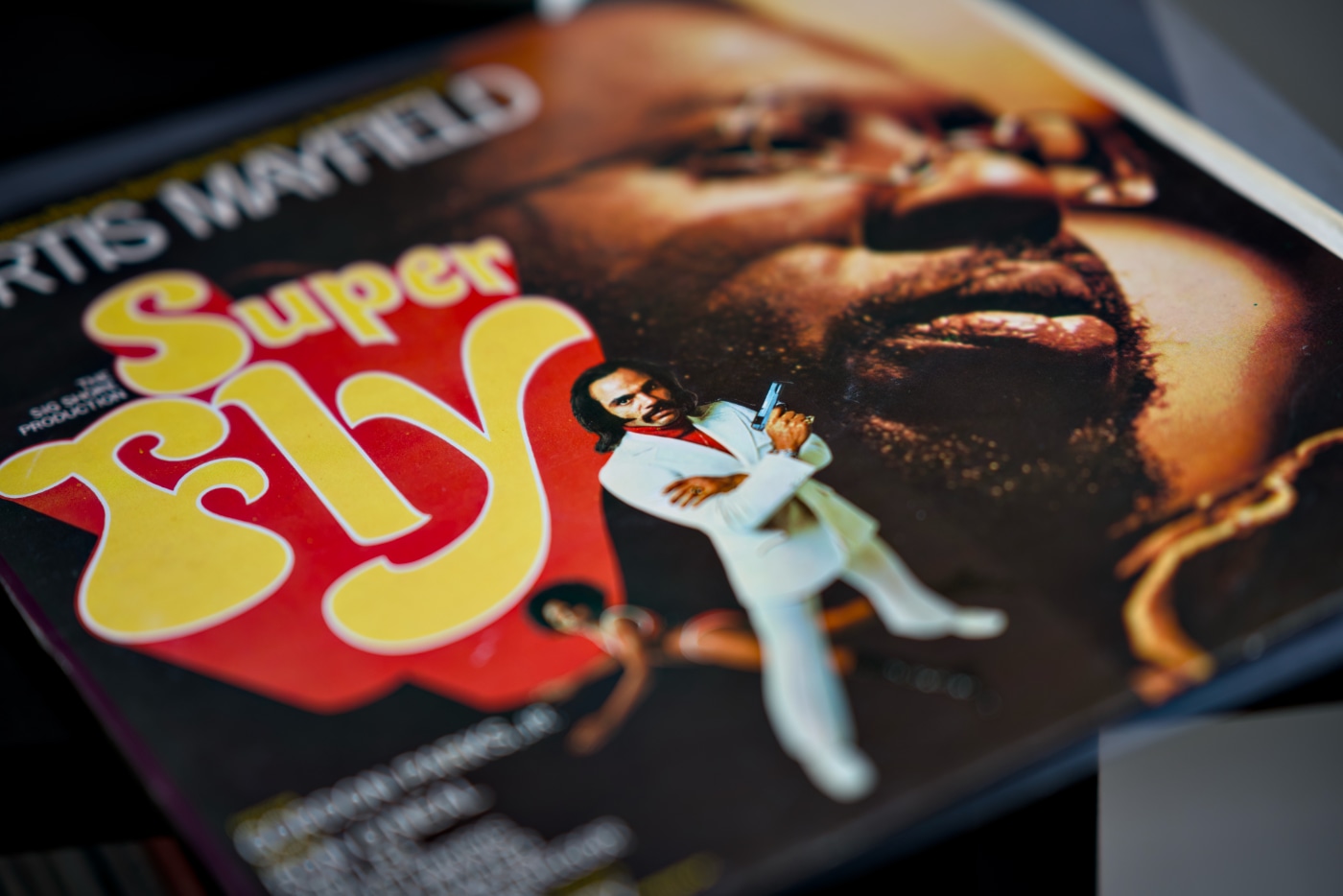
Album of the month
My daughter and I had a lot of fun dancing to the soundtrack from “Super Fly” by Curtis Mayfield. Classic blaxploitation vibe all composed and performed by my beloved Curtis has been a massive influence for plenty of funk bands and rap producers. So funny that the soundtrack to the movie is a lot more popular than the movie. The movie is okay, I watched it, but Mayfield’s creation is just golden!

Top picks
“Give footnotes the boot” by Jake Archibald
Jake Archibald is back with good advice to ditch the footnotes. He explains why using footnotes on the Web is harmful for the user experience and also provides a list of alternative solutions that serve the same purpose without sacrificing user experience. Worth noting that the post is full of little interactions that sometimes are embedded in the long-form body copy. So neat!
“Content Independence Day: no AI crawl without compensation!” by Matthew Prince
To celebrate Content Independence Day, Cloudflare dropped this great news in defence of content creators in the age of AI. The modern trends of relying on LLMs to get to the answer as quickly as possible broke a three-decade-old contract between authors and Google. Back then, it was Google scraping your creation and giving you traffic on your website back. These days, AI robots steal whatever they want from your website and give no credit to the creator whatsoever.
Cloudflare changes that and blocks all AI crawlers by default unless AI giants are willing to pay for it. The “Introducing pay per crawl: enabling content owners to charge AI crawlers for access” goes more into the implementation details. I love how they used the 402 Payment Required HTTP Response Status Code to implement Cloudflare pay per crawl. Time will tell if this solution is going to work, but to me this is a first step towards the future of fair value exchange between agents and creators. “Happy Content Independence Day!”
“Quantity Query Carousel” by Chris Coyier
This idea is so neat. Styling child elements based on the count is not a new idea, but to make such big layout changes as presented in this post is crazy and incredible at the same time. This is another neat CSS trick that the CSS :has() pseudo-class made trivially easy. As always, a nice easy-to-follow write-up by Chris.
“A Friendly Introduction to SVG” by Joshua Comeau.
Josh is back with his interactive primers, this time all about SVG. Holy molly, this dude puts a lot of time into every single one of these posts. I learned tons of things from this one, and you will pick up something too. He is my hero of simple explainer posts!
“You Can Now Disable All AI Features in Zed” by Franciska Dethlefsen
Even though I don’t use Zed as my main code editor, this is by far my favourite GUI editor. Unbeatable performance, clean and not intrusive look, and just the right amount of features and integrations. This article is just proof of how much Zed’s creators listen to users’ feedback. I love the way they implemented it and how they articulated the reasoning behind it in the blog post.
“Writing a Text” Editor by Computerphile
It’s easy to take for granted the simple tools we use every day. Most likely, if there is a tool we use without thinking about it, this is the one where most good thought went into building it. A text editor is a perfect example. You open it up, write stuff down, and call it a day. But it is super interesting to stop for a second and think about how they actually work. Dr Steve Bagley from the University of Nottingham, is demystifying the gap buffer data structure in this video that explains how simple text editors work. Super interesting!
“The many, many, many JavaScript runtimes of the last decade” by Jamie Birch
Jamie Birch spent a year on and off writing this article. An absolutely impressive summary of the JavaScript ecosystem but from an under-the-hood point of view. If you think that JS runs in the browser and on the server only, you’re in for a treat. Jamie goes much more in depth about the environments it runs on nowadays, what the differences are between the main engines, and justifies the existence of an absolutely enormous number of them. Good, long deep-dive read.
“The jj VCS Workshop: A Zero-to-Hero Speedrun” by Jimmy Koppel
After 15 years of using git daily, I still use only a subset of its commands: commit, pull, push, rebase, merge, stash and occassional worktree add. There are two potential reasons why I use only a handful of its features. Maybe I don’t need more or maybe git is just too hard to use to spend time and energy to learning more. This bugged me for some time, and this is the reason why I am so keen to look into Jujutsu—a version control system. Written not to replace, but to work on top of the git CLI created by Google with a big promise to make VCS user friendly. This workshop by Jimmy is on my to-do list, and I’m looking forward to taking this workshop.