My read/watch/listen later workflow
Two years ago I published “Apple, please fix the Safari Reading List” which suggests some improvements and highlights one critical bug that Apple should fix to make Safari Reading List usable. Having a robust system to keep things for later is crucial for my workflow. Unfortunately, nothing changed since then and it is still broken as it was years ago.
This morning I received a very kind email from Cal, who asked me about my current solution for keeping links for later. Great reminder about the fact that I never published a post about it. Thanks Cal! Some time ago I nerd sniped my good friend Olivier Ash who struggled with a similar problem and we designed a solution that we both use to this day.
From Safari Reading List to Apple Reminders
The sync mechanism behind the Safari Reading List is broken, but the one in Reminders is very good. I use the Reminders app heavily for a bunch of other things anyway, so why not use it as a reading list aggregator.
Since Apple Reminders has folders, we used this opportunity for better organisation instead of throwing everything into the same bucket. I consume long-form articles, videos and music/podcasts totally differently. I don’t want to listen to a podcast when I’m on the toilet, or read long technical deep dives when I tidy up the house. Splitting them into multiple categories makes perfect sense and with the combination of Apple Shortcuts it is super easy.
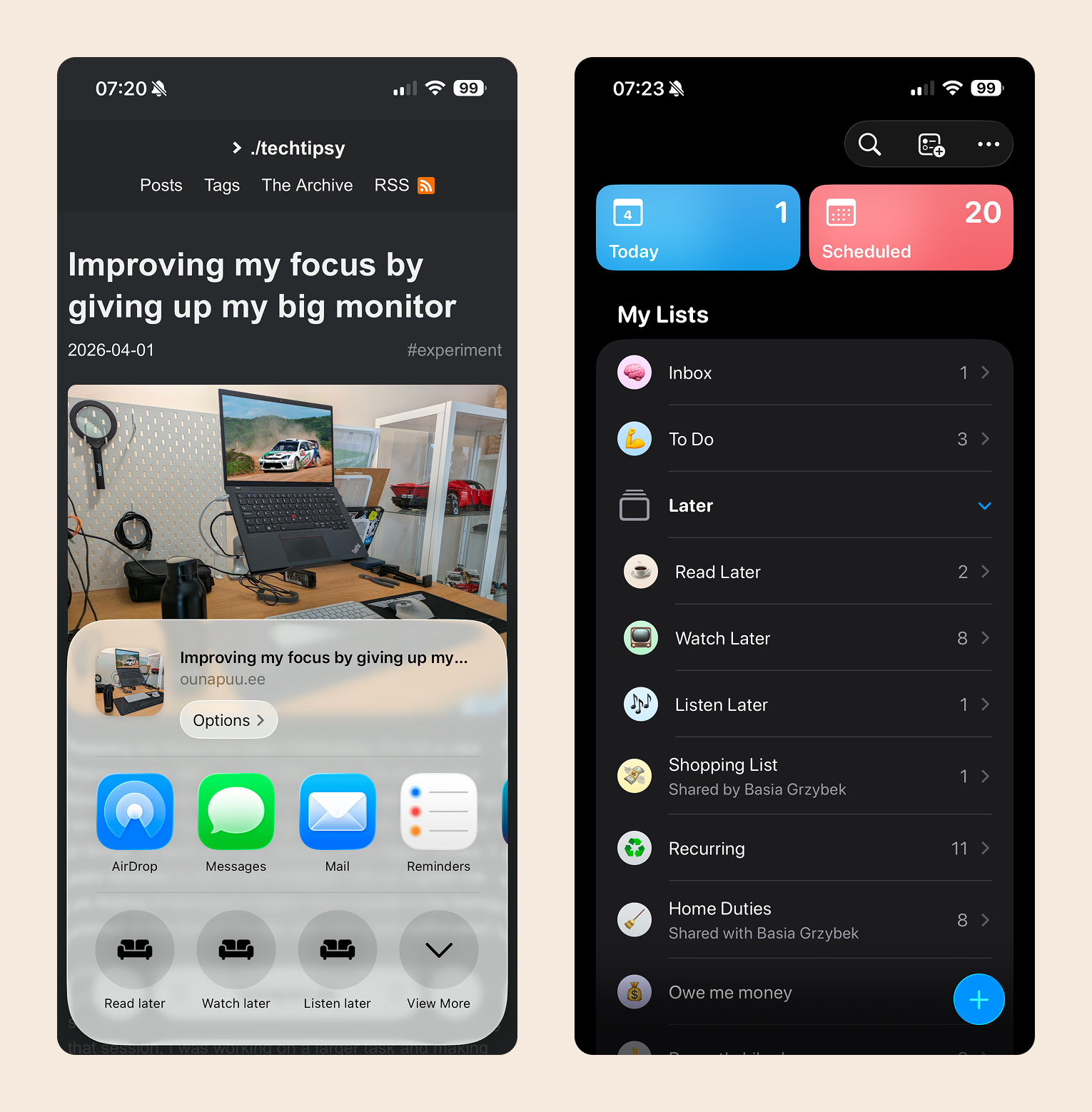
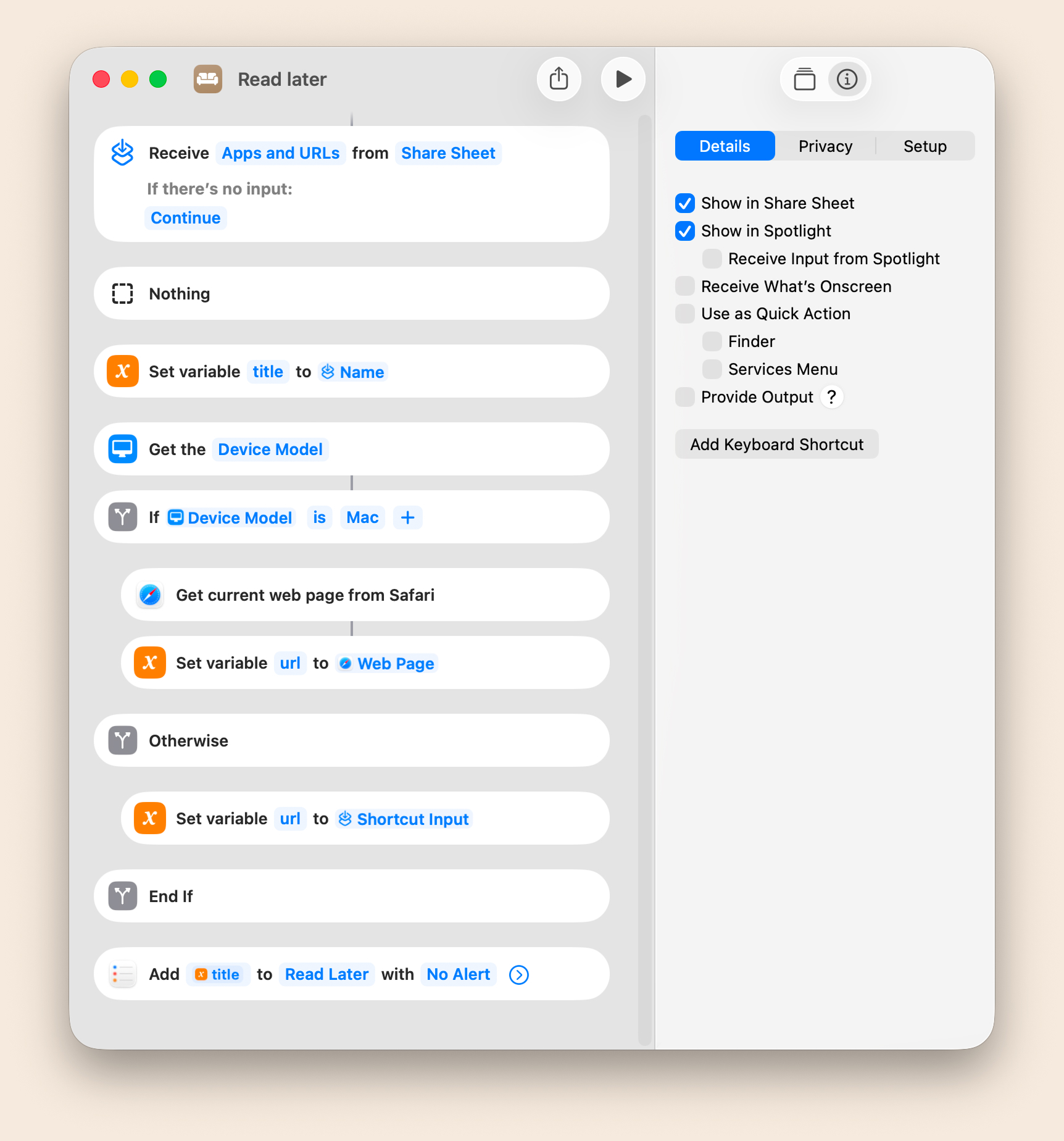
Since it uses Shortcuts to capture links, it works across all the apps that expose URL on the entity. I use these actions with my RSS reader, Reddit app, podcast player, Mastodon client and plenty of others. It works just fine on iOS, iPadOS and macOS (with a small caveat). Let me walk you through one of these shortcuts.
- Receive the input of type URL from the Share Sheet
- Get the title from the input URL > Title
- Get the URL from the input URL > URL on iOS/iPadOS and from the most foremost tab on Safari on macOS
- Add a new Reminders item using the title and URL in the desired folder
- Download my “Read Later” shortcut
- Download my “Watch Later” shortcut
- Download my “Listen Later” shortcut
A few notes on this solution
- It only works if you use Safari as your main browser. If you use something else, you will need to use AppleScript to get the URL and the title of the link
- To be able to import and use my shortcuts, you need to pre-create “Read Latet”, “Watch Later” and “Listen Later” folders
I hope that helps. Thanks again Cal for the inspiration to write this article.