Apple, please fix the Safari Reading List
I am a fan of Apple products, both software and hardware. I also like defaults, as you can tell by reading “My defaults 2023”. No surprise here that Safari is my default browser. I sometimes find it’s set of developer tools too limiting or hit some of the feature incompatibility, but I can live with it. Safari is fast, I like its interface, it comes built-in and has a Reading List, a feature that I cannot live without.
As a programmer and blogger, I browse all random corners of the web and accumulate stuff for later all the time. It all lands in the Safari Reading List. Again, I like it as it comes built-in and it doesn’t require additional plugins or accounts. It syncs with iCloud (in theory), it is nicely integrated with both mobile and desktop operating systems, and it is pretty effortless to use.
As a daily user of this feature and a good web citizen, I decided not to complain about the Reading List on Reddit, but to write a blog post about a few places where it could be improved, and also one where it needs to be fixed. Maybe some Apple folks will come across this post one day.
To improve
A few places where I think the Reading List could be massively improved, and probably most of my suggestions do not require a huge development effort.
Read items indicator
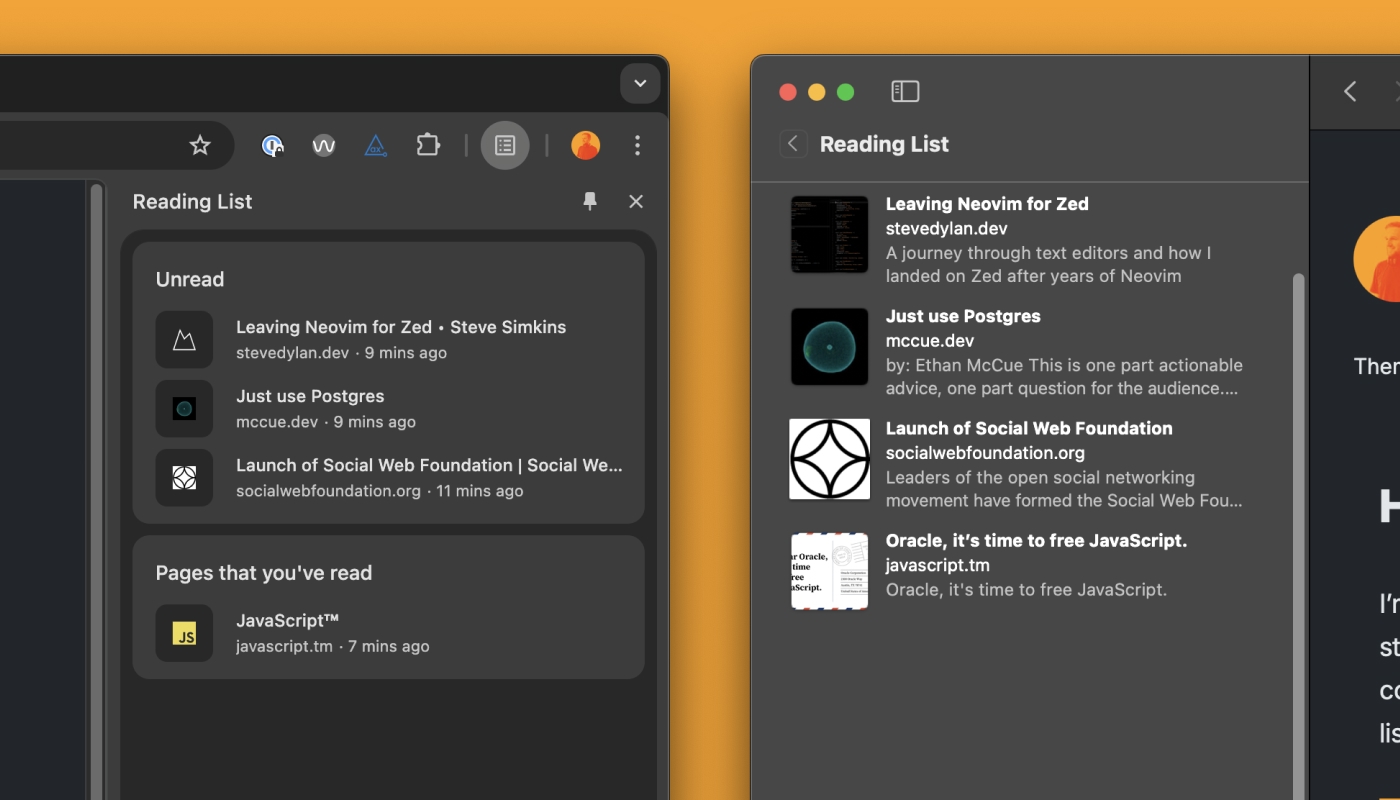
Other than flicking between the hidden by default “All” and “Unread” buttons on macOS or toggling the state using “Show Unread”/“Show All” on iOS/iPadOS, there is no way to distinguish unread items from the ones previously read. I think this is a super easy effort change to add an indicator to read items. That could massively improve the user experience.

Bulk edit
It is impossible to delete or change the state of multiple items all at once. Doing it one by one is so tedious! I know that manipulation of multiple items at once on touch devices is challenging, but enabling that on macOS should be relatively simple. Enabling multi-select by holding the Shift key would be appreciated. Alternatively, enabling bulk edit of Reading List items on the Bookmarks > Edit Bookmarks edit page could also be a great solution.

Filtering and reordering
This one is not an easy effort change, but adding an additional level of filtering would be a game changer. Either folders or tags would make the Reading List a real tool for power users. Adding both would be a dream. Drag-and-drop reordering would also be a well-appreciated feature.
Broken
Adding nice-to-have improvements above would be really appreciated, but there is one thing that breaks the whole experience of using Safari Reading List altogether. Without it working reliably, all the other bells and whistles are redundant. Unfortunately, this is very much broken at the time of writing this article, and it has been for the past few years. This is the thing that triggered my exploration of other solutions.
Safari Reading List sync is broken
As much as the experience of using Reading List on a single device is OK, using it across multiple devices is impossible due to syncing issues. The sync engine that does the reconciliation of items between multiple devices is broken. Removed items reappear, and things added get removed. Sync randomly pauses on one device, and to re-trigger synchronisation, turning it off for a few minutes is the embarrassing solution suggested by the Apple Support page.
Shame that the company that syncs hundreds of gigabytes of pictures in my Photos Library neglected basic synchronisation of text records. There is so little that needs to be done to make it work, and a little bit more to convert it into a real power user tool.
Luckily, services like Pocket, Raindrop, or Omnivore exist, but for now, I have found a satisfying solution using Reminders as a sync engine and a custom Raycast extension to drop new items in there. Reminders sync well!
Is it me or the first picture shows to identical pictures? Asking ‘cause I really wanted to see the proposal 💛
Hahaha, I told you that I'm a crap designer. On the right-hand side, there is a tickbox overlay on the thumbnail of the last article. But the point is that ANY indication that an item had been read would be massively helpful.